
Last updated: September 5, 2026
Quick Answer: Goodreads for Christian fiction fans is most powerful when you move past the default genre pages and build custom shelves, follow community lists, and use Listopia to surface clean Kindle Unlimited titles that the main Amazon algorithm buries. The platform’s list-driven structure, not its recommendation engine, is where clean Christian cozy mystery, western, epic fantasy, psychological thriller, and LitRPG reads actually live.
Key Takeaways
- Goodreads shelves and Listopia lists are separate tools: shelves organize your reading, lists are community-voted and searchable by anyone.
- “Clean” in Christian fiction means no profanity, graphic violence, or explicit content, but on Goodreads, that standard is enforced by community norms and tags, not a platform filter.
- Goodreads does not show Kindle Unlimited availability directly; you cross-reference by checking Amazon after finding a title.
- Community groups on Goodreads run annual Christian fiction reading challenges that function as soft-filters for clean content. [6]
- Dedicated “Most Anticipated Clean and Christian Fiction” lists for 2025-26 are actively maintained by readers and are among the best discovery tools available. [5]
- Sorting Listopia lists by “number of votes” surfaces the most community-validated titles, not just the most recently added.
- Building a well-tagged custom shelf (e.g., “clean-ku-christian-western”) makes your reading history searchable by friends and followers.
- Christian fiction subgenres worth tracking separately: cozy mystery, frontier western, covenant/epic fantasy, psychological thriller, and LitRPG, each has its own Goodreads community pockets.
- Sharing your Goodreads lists publicly turns your personal curation into a discovery resource for other readers.
What Is Goodreads and How Do You Use It to Find Books
Goodreads is a free social reading platform where readers catalog books, write reviews, and build community around shared reading interests. For Christian fiction fans, it functions less like a recommendation engine and more like a community library card catalog, the value is in what other readers have already sorted, tagged, and voted on.
To start finding clean Christian Kindle Unlimited books on Goodreads:
- Create a free account at goodreads.com.
- Search the genre page for Christian Fiction [3], this gives you a broad starting shelf.
- Move to Listopia (the Lists tab) and search terms like “clean Christian fiction,” “Christian cozy mystery,” or “Christian Kindle Unlimited.”
- Join a group, the platform’s reading groups run monthly challenges and “yours or mine” recommendation threads that surface titles no algorithm would show you. [8]
- Follow active curators whose shelves overlap with your taste.
The real discovery happens in the lists and groups, not on the genre homepage.
What Does “Clean” Mean in Christian Fiction
“Clean” in Christian fiction means the story contains no profanity, no graphic violence, and no explicit sexual content. It’s a content standard, not a spiritual one, though for many Christian readers, it’s also a matter of spiritual discernment, not just preference.
The distinction matters on Goodreads because “clean” and “Christian” are overlapping but not identical categories:
- A book can be clean without being Christian (no faith themes, just wholesome content).
- A book can be Christian without being fully clean by some readers’ standards (mild language, implied violence).
- The tightest category, clean Christian fiction, holds both: faith handled as lived experience, and content that doesn’t require a content warning.
On Goodreads, the platform itself doesn’t enforce a clean standard. [3] Community tags, shelf names, and group norms do the filtering. That’s why building the right shelves and following the right lists matters so much.
For a deeper look at how this plays out across genres, the Kindle Unlimited for Christian Readers: How to Find Clean Reads in a Crowded Marketplace guide covers the content landscape in practical detail.
What’s the Difference Between Goodreads Shelves and Lists
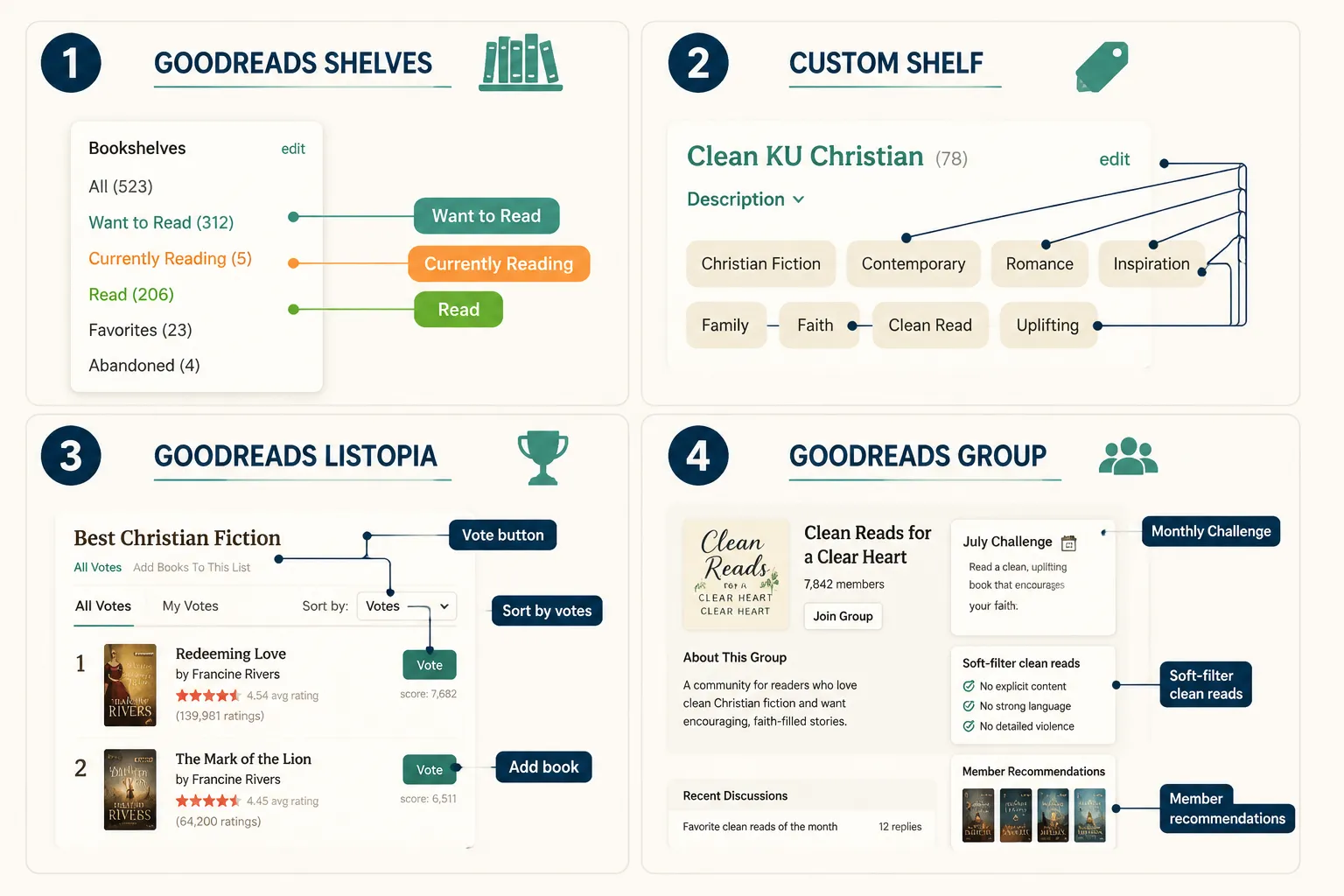
Shelves are personal; lists are communal. That’s the core difference, and it changes how you use each tool.
Goodreads Shelves:
- Private or public catalog of your books.
- Default shelves: “Want to Read,” “Currently Reading,” “Read.”
- You can create unlimited custom shelves with any name (e.g.,
clean-ku-western,christian-epic-fantasy,cozy-mystery-no-romance). - Custom shelves appear on your profile and are searchable by followers.
- Books can sit on multiple shelves simultaneously.
Goodreads Lists (Listopia):
- Community-created and community-voted ranked lists.
- Anyone can add a book to a list; votes push titles up the rankings.
- Lists are searchable by keyword and browsable by tag. [9]
- Examples actively maintained in 2026: Most Anticipated Christian Fiction 2025 [1], 2025 Most Anticipated Christian Fiction Releases [2], and the cross-year Most Anticipated Clean and Christian Fiction 25-26. [5]
Choose shelves when you want to organize your own reading history. Use Listopia when you want community-validated discovery, especially for finding hidden gems that haven’t broken into bestseller lists yet.
How Do I Create Custom Lists on Goodreads
Creating a custom shelf takes under two minutes. Building a genuinely useful one takes a little more intention.
To create a custom shelf:
- Go to your profile → “My Books.”
- In the left sidebar, click “Add shelf.”
- Name it something specific:
clean-christian-kuorchristian-western-kindle-unlimited. - Mark it public if you want others to find it.
- Add books by clicking the shelf dropdown on any book’s page.
To create or contribute to a Listopia list:
- Go to the Lists tab → “Create a new list.”
- Give it a specific, searchable title (e.g., “Clean Christian Kindle Unlimited Cozy Mysteries 2026”).
- Add books and write a brief description with keywords.
- Share the list URL in relevant Goodreads groups to gather votes.
Common mistake: Naming shelves too broadly (“christian-fiction”) makes them hard to filter later. Specific names like christian-psychological-thriller-clean or ku-frontier-western pay off when your shelf grows past 50 books.
How to Filter Goodreads by Kindle Unlimited Availability
Goodreads does not have a native Kindle Unlimited filter. This is the platform’s biggest limitation for KU subscribers, and the workaround is a two-step process.
The practical workflow:
- Find candidates on Goodreads using shelves, Listopia lists, or group recommendations.
- Cross-check on Amazon by searching the title, the KU badge (“Read for Free with Kindle Unlimited”) appears on the product page if it’s enrolled.
- Tag confirmed KU titles on a dedicated shelf (e.g.,
confirmed-ku-clean-christian) so you don’t repeat the lookup.
Faster shortcut: Some Goodreads groups maintain running threads specifically for KU-enrolled Christian titles. The 2025 monthly focus threads [6] and “yours or mine” recommendation threads [8] often include members noting KU availability in their comments.
Pro tip: When a KU promotion runs, like the dedicated clean and Christian romance KU promo that ran in March 2026, authors often announce it in Goodreads groups. Following those groups means you catch time-limited free reads before they expire.
Can You Sort Goodreads Lists by Rating or Date Added
Yes, Listopia lists can be sorted in several ways, and the sort order changes what you find.
| Sort Option | Best For |
|---|---|
| Number of Votes | Most community-validated titles; surfaces consensus favorites |
| Average Rating | Highest-rated books, regardless of how many people voted |
| Date Added | Newest additions; good for finding recent releases |
| Title / Author | Alphabetical browsing |
For surfacing clean Christian Kindle Unlimited gems specifically, sorting by votes is the most reliable starting point, it reflects sustained community interest, not just a single enthusiastic reader who added fifty books at once.
Edge case: A book with 4.8 stars and three ratings is statistically unreliable. Sort by votes first, then use average rating as a secondary filter for titles with at least 20-30 ratings.
How Do Christian Fiction Readers Use Goodreads Differently
Christian fiction readers, particularly women 35-65 who are Kindle Unlimited subscribers, use Goodreads more as a trust network than a discovery algorithm. The platform’s community features matter more to this audience than to general fiction readers.
Specific patterns worth knowing:
- Reading challenges as soft-filters. Groups running 2025-26 Christian fiction challenges [6] implicitly curate toward clean content because the community self-selects. Joining one means your “to-read” list gets populated by readers with compatible standards.
- Shelf-following over algorithm-following. Rather than trusting Goodreads’ “readers also enjoyed” suggestions (which skew secular), Christian readers follow specific curators whose shelves they trust.
- “Yours or mine” threads. These group threads [8] function as live recommendation exchanges, one reader offers a title, another accepts or trades. They surface books that never trend on the main site.
- Faith as a lived filter, not a genre label. Christian readers aren’t just filtering for a genre tag, they’re looking for stories where faith shows up as something characters actually carry, doubt, and work through. That’s a quality judgment, not a keyword search.
For readers who want that kind of fiction across multiple genres, the Faith in Fiction Across Genres: How Much Is Too Much? article addresses exactly where that line sits.
Best Goodreads Lists to Follow for Clean Christian Fiction
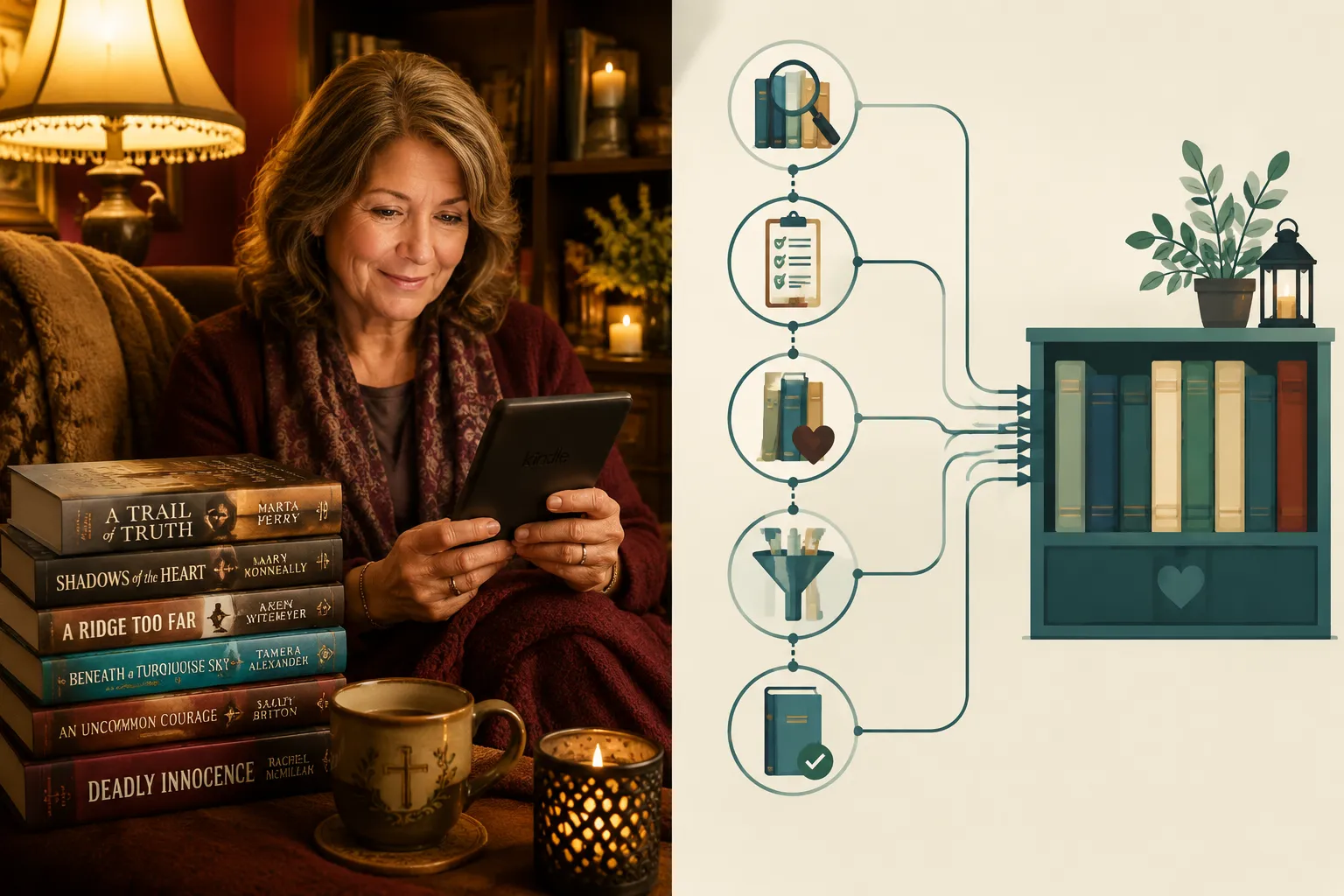
Several actively maintained Goodreads lists are worth bookmarking in 2026:
- Most Anticipated Christian Fiction 2025 [1], broad, high-traffic, community-voted.
- 2025 Most Anticipated Christian Fiction Releases [2], parallel list with different curators; comparing both surfaces titles that appear on both, which is a strong signal.
- Most Anticipated Clean and Christian Fiction 25-26 [5], the most targeted list for readers who want both the faith content and the clean standard together.
- Biblical Fiction tag lists [4], useful for historical and covenant fantasy readers.
- Christian tag lists [7] [9], broader but filterable by subgenre once you’re inside.
How to use these lists actively:
- Vote for titles you’ve read and loved, this lifts genuine gems above the noise.
- Add books you’ve discovered elsewhere that belong on the list.
- Check “date added” periodically for new entries that haven’t accumulated votes yet, that’s where hidden gems live.
What Christian Fiction Subgenres Should You Know About
Christian fiction is far broader than the cozy mystery section at a church bookstore. Knowing the subgenres makes Goodreads searches dramatically more precise.
Core subgenres for clean KU readers:
- Christian cozy mystery, Small-town settings, amateur sleuths, faith woven into community life. Low violence, no explicit content. Series like the Mercy House Mysteries set in Juniper Gap, Tennessee, fit this exactly.
- Christian frontier western, Moral stakes set against historical frontier law and land. Faith tested by justice questions, not church attendance. See the Christian Western Fiction Reading Guide for Kindle Unlimited for a full breakdown.
- Christian epic fantasy, Covenant theology, prophecy, and worldbuilding where faith is structural, not decorative. The Best Christian Epic Fantasy Worlds on Kindle Unlimited guide covers this subgenre in depth.
- Christian psychological thriller, Suspense built on memory, identity, and institutional power. Grace shows up after real cost, not as a rescue. See Christian Psychological Thriller Plot Structures for what makes this subgenre work.
- Christian LitRPG, Game-world progression fantasy where faith and integrity are tested alongside stats and skills. A newer subgenre worth tracking; see Christian LitRPG and Progression Fantasy Explained.
On Goodreads, search each subgenre separately. A shelf named christian-fiction will bury your cozy mysteries under epic fantasy under westerns. Specific shelves and specific list searches return specific results.
How to Find Hidden Gems in Christian Fiction on Kindle Unlimited
Hidden gems, the books that deserve far more readers than they have, sit in a predictable place on Goodreads: recently added to community lists, with fewer than 50 ratings, averaging above 4.0 stars.
A repeatable process for surfacing them:
- Open a trusted Listopia list (start with [5] or [2]).
- Sort by “Date Added.”
- Filter mentally for titles with 10-50 ratings and a 4.0+ average, enough signal to trust, few enough ratings to still be undiscovered.
- Check those titles on Amazon for KU enrollment.
- Read the one- and two-star reviews first, they often reveal content issues (unexpected explicit content, heavy-handed preaching) that the five-star reviews don’t mention.
- If the book passes, add it to your
clean-ku-confirmedshelf.
What to look for in reviews:
- Readers mentioning “no language,” “clean,” “appropriate for all ages”, these are positive signals.
- Readers mentioning “preachy,” “too much scripture,” or “felt like a sermon”, signals that faith is handled as lecture rather than lived experience. That’s a different problem than content cleanliness, but it matters for readability.
The Best Christian Fiction Books: Five Trilogies Worth Your Kindle Unlimited Subscription article is a good cross-reference for series that have already proven themselves across multiple books.
Common Mistakes When Building Goodreads Reading Lists
Most readers build shelves that stop working for them within six months. Here’s why, and how to avoid it.
Mistake 1: One shelf for all Christian fiction. The result is a 200-book shelf you can’t navigate. Fix: create genre-specific shelves from the start.
Mistake 2: Adding books without tagging KU status.
You’ll re-check Amazon for the same titles repeatedly. Fix: maintain a separate confirmed-ku shelf and cross-reference it.
Mistake 3: Following lists without voting. Lists only stay accurate if readers vote. If you read a book on a community list and loved it, vote. If a book doesn’t belong, the community can’t correct it without participation.
Mistake 4: Trusting “readers also enjoyed” for clean content. Goodreads’ recommendation engine doesn’t filter for content standards. A Christian cozy mystery reader who follows that algorithm will eventually land on a secular thriller with graphic content. Stick to curated lists and trusted shelves.
Mistake 5: Ignoring the group threads. The monthly focus threads [6] and recommendation exchanges [8] are where the most current, KU-specific, clean-verified recommendations live. They’re updated in real time by readers who share your standards.
How to Share Your Goodreads Lists With Other Readers
Sharing is straightforward, and it turns your personal curation into a community resource.
To share a custom shelf:
- Make the shelf public in your shelf settings.
- Copy the URL from your browser when viewing the shelf, it’s shareable directly.
- Post it in relevant Goodreads groups or on social media.
To share a Listopia list:
- Every list has a permanent URL (e.g., the clean Christian 25-26 list at [5]).
- Share the URL in group threads, on your author or reader profile, or in blog posts.
- Encourage others to vote, a list with 500 votes is more useful to the community than one with 5.
To build a following as a curator:
- Name your shelves clearly and specifically.
- Write brief shelf descriptions explaining your content standards.
- Engage in group threads and link your relevant shelves when recommending books.
Readers who curate well become trusted sources in Christian fiction communities, and that trust is worth more than any algorithm.
FAQ
Does Goodreads show which books are in Kindle Unlimited? No. Goodreads does not display KU enrollment status. You must check each title on Amazon separately. The workaround is to maintain a dedicated Goodreads shelf for confirmed KU titles after you’ve verified them.
Can I search Goodreads specifically for clean Christian fiction? Not with a native filter. The most effective approach is to search Listopia for lists tagged “clean” and “Christian,” follow curators whose shelves match your standards, and join groups that run clean-content reading challenges.
What’s the best Goodreads list for clean Christian fiction in 2026? The Most Anticipated Clean and Christian Fiction 25-26 list [5] is the most targeted. The two Most Anticipated Christian Fiction 2025 lists [1][2] are broader but high-traffic and community-validated.
How is a Goodreads shelf different from a Listopia list? A shelf is your personal reading catalog. A Listopia list is a community-voted, publicly searchable ranked list that anyone can add books to and vote on.
Can I sort Goodreads lists by rating? Yes. Listopia lists can be sorted by votes, average rating, date added, title, or author. For finding hidden gems, sort by date added and filter for titles with 10-50 ratings and a 4.0+ average.
What does “clean” mean in the context of Christian fiction? Clean means no profanity, no graphic violence, and no explicit sexual content. On Goodreads, this standard is maintained by community norms and reader tags, not a platform filter.
Are there Goodreads groups specifically for clean Christian fiction? Yes. Groups running 2025-26 Christian fiction reading challenges [6] and recommendation threads [8] function as community soft-filters for clean content because the membership self-selects around shared standards.
How do I find Christian western or Christian epic fantasy specifically on Goodreads? Search Listopia for those specific subgenre terms, create custom shelves with precise names, and check genre-specific community groups. Broad “Christian fiction” searches will mix all subgenres together.
Should I trust Goodreads’ “readers also enjoyed” recommendations for clean content? No. The recommendation engine doesn’t filter for content standards. Curated lists and trusted reader shelves are more reliable for clean Christian fiction.
How often should I update my Goodreads shelves?
After finishing each book, at minimum. Adding books to a confirmed-ku shelf immediately after checking Amazon saves repeated lookups later.
Conclusion
Goodreads for Christian fiction fans rewards the readers who treat it as a community tool rather than a passive algorithm. The shelves, the Listopia lists, the group threads, these are built by readers who care about the same things you do: faith handled honestly, content that doesn’t require a content warning, and stories where grace shows up after real cost, not instead of it.
Actionable next steps:
- Create three custom shelves today: one for your genre (e.g.,
christian-cozy-mystery), one for confirmed KU titles, and one for your “discovered gems” list. - Bookmark the Most Anticipated Clean and Christian Fiction 25-26 list [5] and sort it by date added to find recent entries.
- Join one Goodreads group running a 2026 Christian fiction reading challenge and check the monthly focus thread [6].
- Vote on every list entry you’ve read, your vote lifts good books for readers who haven’t found them yet.
- Cross-reference your top five Goodreads finds on Amazon to confirm KU enrollment, then tag them on your confirmed shelf.
The books are there, clean, faith-rooted, and worth the search. The tools to find them are already built. All that’s left is using them with intention.
References
[1] Most Anticipated Christian Fiction 2025 – https://www.goodreads.com/list/show/199552.Most_Anticipated_Christian_Fiction_2025
[2] 2025 Most Anticipated Christian Fiction Releases – https://www.goodreads.com/list/show/218829.2025_Most_Anticipated_Christian_Fiction_Releases
[3] Christian Fiction (Goodreads Genre Page) – https://www.goodreads.com/genres/christian-fiction
[4] Biblical Fiction (Goodreads List Tag) – https://www.goodreads.com/list/tag/biblical-fiction
[5] Most Anticipated Clean and Christian Fiction 25-26 – https://www.goodreads.com/list/show/219059.Most_Anticipated_Clean_and_Christian_Fiction_25_26
[6] 2025 Monthly Focus (Goodreads Group Thread) – https://www.goodreads.com/topic/show/22982194-2025-monthly-focus
[7] Christian (Goodreads Genre Page) – https://www.goodreads.com/genres/christian
[8] Yours or Mine Jan, Jun 2026 (Goodreads Group Thread) – https://www.goodreads.com/topic/show/23638276-yours-or-mine-jan—jun-2026
[9] Christian List Tag (Goodreads, page 6) – https://www.goodreads.com/list/tag/christian?page=6
[10] 2025 ABC 123 (Goodreads Group Thread) – https://www.goodreads.com/topic/show/22981445-2025—abc-123